A new folder has been added to the N drive. There are 3 start-up assignments that we will be working on to get started with a basic website. As soon as you finish the Agenda Cover, start working on the 1st assignment.
When we return, we will be looking at examples of website that students have created for this assignment.
Tuesday, December 23, 2014

Monday, December 22, 2014
Agenda Covers
We will be looking at the last of the covers today.
Covers will be due in the N drive folder and printed in color with your name on the back by tomorrow.
Covers will be due in the N drive folder and printed in color with your name on the back by tomorrow.
Tuesday, December 16, 2014
Programs and Layout
Your agenda design is a tool that students can with them throughout the day. What would be cool or interesting to you and your classmates?
Use Adobe Illustrator, Photoshop or both.
Dimensions: 5” wide & 8” tall
Use guidelines to create a ¼” extra space. The area within the guideline will fit the cover. The purpose of the “bleed area” is to accommodate the rounded corners of the agenda cover.
This is a full color design.
It should have layers to create depth. Find texture and paint brushes online to create visual interest.
Design dimensions are as follows:
· 300 dot resolution (155 lines)
· 5” x 8” (pull in margins)
Monday, December 15, 2014
Agenda Cover
Agenda Cover
To do first:
-View actual examples of agenda covers from over the years at Lincoln, and those from other school.
-Research designs online.
-Create 10 sketches for the agenda design. These designs should be icon/image and font based. Include The Lincoln High School and the year at minimum. You can also include quotes, images and designs. The sketches should be basic, mostly showing the placement or layout of important design elements.
-Get feedback
-Get feedback
-The design can be based on Lincoln, Lincoln High School or visually exciting design. Design something you would want to use.
-Keep the 10% rule or use original photographs or drawing for your work.
-Be clever and think out of the box and off of the line.
Thursday, December 4, 2014
POS-Getting started in Photoshop
-Document Size>300 x 500 pixels w/ transparent background
-Document Size>300 x 500 pixels w/ transparent background
-Can use photographs you take around LHS
-Can use Illustrator and/or Photoshop for your final design
Things to consider:
-Full color using the styles
-Lots of Layers
-Change the opacity
-Photography
-Interesting textures either as backgrounds or in letters
-paint brushes to create interesting designs and textures
-paint brushes can be download from Brusheesy.com or other websites with free photoshop brushes. Make sure that they can be use with CS6.
-paint brushes can be download from Brusheesy.com or other websites with free photoshop brushes. Make sure that they can be use with CS6.
Wednesday, December 3, 2014
Your tutorial exercises can be turn in in the POS folder. It is called Photoshop exercise turn-in.
Program of Studies
10 sketches are required for this assignment. This includes getting 9 pieces of feedback between 3 classmates.
Sketches must include the following:
-Educational or school spirit related imagery
-Lincoln High School
-Program of Studies
-2014-2015
Things to consider:
-Full color
-Photography
-Interesting textures either as backgrounds or in letters
Monday, December 1, 2014
Monday
Let the photoshop experience flow!
Nice work on the tutorials! These tutorials are meant to help you to learn new possibilities for enhancing your text or shapes in your designs.
We today we are trying out the brush tool in Photoshop. There are a lot of interesting brushes, and many ways to change how they look.
Upcoming projects:
1. Program of Studies for the web
2. 2015-2016 Agenda Cover
3. Website Design
Other Projects:
-Jerry Marshall Program
Past Due Assignments:
-POS
-State Cross Country T-shirt (several people did not turn in sketches, so they only earned half credit for working on the design.)
Past Due Assignments:
-POS
-State Cross Country T-shirt (several people did not turn in sketches, so they only earned half credit for working on the design.)
Tuesday, November 25, 2014
Monday, November 24, 2014
Going to the Doctor today.
Work on finishing up the XC designs. You will be turning in the 13" x 13" and any sample t-shirt views. Please print 2 copies in color of your design. One is for me and the other is for the XC coaches. Name on the back in pencil.
Work on the Jerry Marshall Program if you have completed the XC t-shirt
Work hard!
No phones or websites!
Work on finishing up the XC designs. You will be turning in the 13" x 13" and any sample t-shirt views. Please print 2 copies in color of your design. One is for me and the other is for the XC coaches. Name on the back in pencil.
Work on the Jerry Marshall Program if you have completed the XC t-shirt
Work hard!
No phones or websites!
Monday, November 17, 2014
This week's schedule:
-POS: be sure to turn in your POS into the N Drive turn in folder ASAP. I will be grading these this week. To receive full credit you must have turned in sketches. If you are missing sketches, I will be scheduling you for IE. Check your schedule!
-Cross Country Sketches: Due last week! These are required for earning credit for the final design.
_Cross Country Final Design: we will have lab time today and tomorrow. We will be critiquing on Wednesday and Thursday. Friday we will have time to tighten up the design with the final deadline next Wednesday Nov. 26th.
-Jerry Marshall Awards Program:
This is a great project for those of you who have completed the XC Design.


-POS: be sure to turn in your POS into the N Drive turn in folder ASAP. I will be grading these this week. To receive full credit you must have turned in sketches. If you are missing sketches, I will be scheduling you for IE. Check your schedule!
-Cross Country Sketches: Due last week! These are required for earning credit for the final design.
_Cross Country Final Design: we will have lab time today and tomorrow. We will be critiquing on Wednesday and Thursday. Friday we will have time to tighten up the design with the final deadline next Wednesday Nov. 26th.
-Jerry Marshall Awards Program:
This is a great project for those of you who have completed the XC Design.
To do first:
-View the 2 JMO sample designs below.
-Research designs online.
-The design can be based on Lincoln,
Lincoln High School or an abstract and visually exciting design. The design should reflect an academic
excellence theme.
-Create a folder for the project and
in it 2 more folders, one for fonts and one for images. Start collecting content for these folders
for you to use later.
-Be clever and think out of the box
and off of the line.
Programs and Layout
Use Adobe Illustrator.
This is a black and white design. It could have some selected color.
The only text that can be used is
“Jerry Marshall Olympiad” and ”2015”
It should have a graphic that fits
the theme.
Avoid shading or large areas of
black, and please do not use a border as these techniques may not copy well.
Design dimensions are as follows:
·
Landscape
Orientation
·
Document
size 8 ½” x 11”
The information about the JMO awards
on the back of the sample programs must be included on your program as you see
it in the 2 examples.
Thursday, November 13, 2014
Converting photographs into vector images
We will be using Photoshop and Illustrator together to harness the power of the photograph. This is a great way to get imagery into your Illustrator based designs without having to trace them or use clip art (which is a poor practice anyway).
Tuesday, November 11, 2014
Task #1-open the Google doc I placed in the Google graphics folder and work on the list as a class.
Task #2-create a few more drawing that use some of images from the group brainstorming
Task #3-get feedback on your sketches.
Task #4-schedule yourself for ie on Friday if you still need to finish the POS.
Task #5-scan as needed and turn in your sketched to the black basket.
Task #6-start your layout in illustrator. The document should set to 13 x 13.
Dei'mon- I found your sketch. I left it by the black basket.
I will do my best to be back tomorrow. Plan to go out for photos.
Just a note. There are too many reminders about phones. I will start taking them when I return. Keep your hands off of them during class!
Work hard! 😄
Monday, November 10, 2014


New Assignment:
Fine Art Triptych-a 3 image series that could be displayed together or alone.
Again, you all have a lot of great things to resource but this is created with
brushes and textures.
Fine Art Canvas creations w/ brushes and textures.... it can be anything. gory and
gruesome/ happy and jolly/ sick/ posterized/ abstract/ real/...think about a theme to
create a starting point. Composition is critical! Create depth, use visual elements to tie 3
canvases together.
Think Composition & Color... more example to come!
Examples:


Thursday, November 6, 2014
Program of Studies
-the back cover information is in the Computer Graphics Google Drive folder.
-print a color version and write your name on the back
-save a copy in the POS folder in the N Drive
Cross Country T-shirt
-pictures can be used as well. We will be completing an exercise next week to help out with creating t-shirt compatible pictures that are owned by you.
Have good weekend!
Design Requirements:
13" x 13" design area
One of the WIAA logos (see resources folder)
Wisconsin State Meet
Cross Country
103nd Annual
2015
Imagery that reflect the sport (see resource folder)
Design for your age group, but appeal to all ages
Everything including fonts must be able to be sold for profit, so pay attention to copyright!
10 sketches are due by Monday. Plan accordingly...3 day weekend!


Wednesday, November 5, 2014
Tuesday, October 28, 2014
Program of Studies
-Get feedback from classmates as we did for the last assignment
-Scan the design and turn in the sketches for grading.
-Choose a design to begin creating in Illustrator.
-You have this week and some of next week to work on your design(s)
Icon/Typography Logo is due by friday.
We will be talking about the about the State Cross Country Logo next. Again, you have a real client. Copyright laws must be observed as these designs will be sold to the public! There are 3 cash prizes for this project of $50, $25 & $15 for 1st, 2nd and 3rd place designs.
-Get feedback from classmates as we did for the last assignment
-Scan the design and turn in the sketches for grading.
-Choose a design to begin creating in Illustrator.
-You have this week and some of next week to work on your design(s)
Icon/Typography Logo is due by friday.
We will be talking about the about the State Cross Country Logo next. Again, you have a real client. Copyright laws must be observed as these designs will be sold to the public! There are 3 cash prizes for this project of $50, $25 & $15 for 1st, 2nd and 3rd place designs.
Tuesday, October 21, 2014
10 sketches are due by the end of the day on Monday of possible layouts of the Program of Studies. Sketches must be completed first or the final will be worth 0 points.
Requirements:
-Program of Studies
-WR logo
-Lincoln High School
-2015-2016
-Wisconsin Rapids, WI
-Education related images, Lincoln High School related images or President Lincoln related images
-Full color, but able to print without heavy toner required in black and white
-8.5" x 11" portrait layout
Thursday-Class will be moving to the main art room for a presentation. If you have seen the presentation you may work on your Graphics assignments on the computer in the art or photo room.
Also due Monday:
-Typographic/iconic logo design-turn it in on a presentation template that you alter to fit the assignment title.
Please see me if you are having trouble with the deadlines!
Requirements:
-Program of Studies
-WR logo
-Lincoln High School
-2015-2016
-Wisconsin Rapids, WI
-Education related images, Lincoln High School related images or President Lincoln related images
-Full color, but able to print without heavy toner required in black and white
-8.5" x 11" portrait layout
Thursday-Class will be moving to the main art room for a presentation. If you have seen the presentation you may work on your Graphics assignments on the computer in the art or photo room.
Also due Monday:
-Typographic/iconic logo design-turn it in on a presentation template that you alter to fit the assignment title.
Please see me if you are having trouble with the deadlines!
Friday, October 17, 2014
Critique Day!
Please place you logo into the Logo Critique folder right now.
This critique is worth 20 points.
This is great chance to see your work from a different perspective. We will be looking at readability, arrangement and color impact. You will get a grade for this, so make sure your work is in the folder. Don't panic! It does not need to be finished!
Take notes on the recommendations. They can be worked on Monday.
We will be wrapping this assignment up soon. The next assignment is 10 sketches for the Program of Studies that Mrs. Hoch will be in next week to introduce the project. They will be due next week.
Also Due:
-Dirty Water Drop or Panda icons
Please place you logo into the Logo Critique folder right now.
This critique is worth 20 points.
This is great chance to see your work from a different perspective. We will be looking at readability, arrangement and color impact. You will get a grade for this, so make sure your work is in the folder. Don't panic! It does not need to be finished!
Take notes on the recommendations. They can be worked on Monday.
We will be wrapping this assignment up soon. The next assignment is 10 sketches for the Program of Studies that Mrs. Hoch will be in next week to introduce the project. They will be due next week.
Also Due:
-Dirty Water Drop or Panda icons
Tuesday, October 14, 2014
Monday, October 13, 2014
Combination Logo Feedback
Lots of great ideas have been generated for the Icon/Typographic logo sketches. This will give you a lot of choices as you decide which design to develop into a full color combination logo.
As you move forward with this design, you will be working together with other people to select the best possible design. Designers will often work as a team to develop ideas and solutions for projects that there company receives from clients.
Today's task:
-Find 3 people to get feedback from on your designs. Assign them a symbol (star, circle, square, ect.) to use to identify promising sketch ideas.
-Each consultant must identify at least 3 ideas that fit the criteria for this design challenge. The criteria is as follows:
As you move forward with this design, you will be working together with other people to select the best possible design. Designers will often work as a team to develop ideas and solutions for projects that there company receives from clients.
Today's task:
-Find 3 people to get feedback from on your designs. Assign them a symbol (star, circle, square, ect.) to use to identify promising sketch ideas.
-Each consultant must identify at least 3 ideas that fit the criteria for this design challenge. The criteria is as follows:
- contains typographic company name or identification.
- contains an icon which provides more information about the company's purpose.
- is easy to read or understand
- is eye catching and/or interesting to look at.
Once you receive feedback, you must see if you have two or more designs that your team agreed were good choices to consider. In other words, did more than one team member choice a particular design? If you have one or fewer sketches that people agreed on, you must create more sketches and seek more feedback.
Circle the design that you will be developing into a full color logo. Scan it, and turn in your sketches for grading. (You must have sketches and feedback to more on with this design.) You are ready to begin creating the logo in Illustrator.
Good Luck!
Wednesday, October 8, 2014
Wednesday
We are starting our final logo design project.


I shared your assignment with you as a Google Doc.
Monday, October 6, 2014
Tutorials
First we will finish the WOW tutorial.
Second we will be starting icons. They are most often used as a combination logo with typography.
Second we will be starting icons. They are most often used as a combination logo with typography.
Tuesday, September 30, 2014
Presenting the Logos
All 4 logo variations are due by Friday.
-They must be placed on the presentation template for final grading.-To turn them in, create a folder in the logo turn-in folder titled with your name.
-Inside this folder place all 4 logos on their individual presentation sheets.
-Each folder will have 4 documents in it to be graded.
Let me know if you need help!
We have 2 tutorials to work on this week and next week.
-Tutorial #1 will show you how to work with text to make it more interesting.
-Tutorial #2 will help you create an image or icon using Illustrator.
Monday, September 29, 2014
Last logo variation...for now
This week we will be getting caught up.
Through the semester there tutorials you will complete. They show you step by step how to use tools in Illustrator that you can use in upcoming assignments. These tutorials are located under the tutorial tab. Everyone can get started on the WOW tutorial after completing the 2 color Pantone logo today. It will be due Friday.
Today's theme:
Through the semester there tutorials you will complete. They show you step by step how to use tools in Illustrator that you can use in upcoming assignments. These tutorials are located under the tutorial tab. Everyone can get started on the WOW tutorial after completing the 2 color Pantone logo today. It will be due Friday.
Today's theme:
2 colors using Pantone color books
Thursday, September 25, 2014
Thursday
Master Path-it's a must. Remember that the master path is your black on white logo. It's the starting point for all the logo variations we create this week.
Todays theme is spot color and how to achieve it.
Wednesday, September 24, 2014
White on Black
You have the first 15 minutes of class to finish up the Master Path or Black on White logo.
Are you having computer issues today? Stop as soon as you notice any problem. Do not restart your computer or do anything other than tell me. Mrs Bushman needs to see the problem to fix it. She will come a look at our issues right away.
Waiting for the next step? Try this game. It seemed to work better in Explorer. It is a great way to practice the pen tool.
We will be creating the typographic logo series. Over the last couple of days, everyone has been designing a black on white typographic logo. We will be continuing that theme and learning other ways of creating interesting logos for your clients.
Todays theme: white on black and how to achieve it.
Tuesday, September 23, 2014
Master Path and other Design Conundrums
Grades are up to date. Many people did not turn in the traced scan. A couple of people did turn it in, but their scan was missing.
Today is a good day to get this finished.
Flexisched-missing assignments? You maybe scheduled to work on them with me during ie this week and every week until you bring up your grade.
Yesterday was started the MASTER PATH...
Clarification seems in order.
Task #1-Use Illustrator to create a typographic logo for yourself. This could be for a design business, a personal logo for yourself now or for a future business for yourself.
-It should reflect who you or your business are...edgy, trendy, sweet, bold, Gothic, etc.
-It can be as simple as your initials or more complex like a company name.
-It should be eye catching.
-It should work well large or small.
Task #2-Use your sketches, if you have designs that you like. You can also redesign at this point if you have new ideas after trying some of the tools in Illustrator. Remember all of the typographic logos we shared in the Google Doc? Look back at them, and use them as inspiration.
Task #3-Make you design fill the page either wide, tall or both.
Task #4-Use only black for your letters.
Today is a good day to get this finished.
Flexisched-missing assignments? You maybe scheduled to work on them with me during ie this week and every week until you bring up your grade.
Yesterday was started the MASTER PATH...
Clarification seems in order.
Task #1-Use Illustrator to create a typographic logo for yourself. This could be for a design business, a personal logo for yourself now or for a future business for yourself.
-It should reflect who you or your business are...edgy, trendy, sweet, bold, Gothic, etc.
-It can be as simple as your initials or more complex like a company name.
-It should be eye catching.
-It should work well large or small.
Task #2-Use your sketches, if you have designs that you like. You can also redesign at this point if you have new ideas after trying some of the tools in Illustrator. Remember all of the typographic logos we shared in the Google Doc? Look back at them, and use them as inspiration.
Task #3-Make you design fill the page either wide, tall or both.
Task #4-Use only black for your letters.
Monday, September 22, 2014
Black on White
4 day week!
Traced scans should be completed and turned in by today.
There are still a few people who need to turn in transfer, collages and a few whole sketchbooks.Corrections can be made on the chapter worksheet once I hand them back.
Black on White Typographic Logo is one of several final pieces for this unit. We will start creating it today. It will be due early next week.
Friday, September 19, 2014
Thursday, September 18, 2014
Keep on scanning. There are 4 scanners in this room that can be used. You will need a scan for the next assignment.
Today's new topic is....the PEN TOOL!
We will get started with using the pen tool. This is a skill. It takes time, patience and practice.
Those of you scheduled for ie with me this week, be sure to bring your sketchbook. If you had trouble with the worksheet, bring that as well. We will meet in here.
Today's new topic is....the PEN TOOL!
We will get started with using the pen tool. This is a skill. It takes time, patience and practice.
Those of you scheduled for ie with me this week, be sure to bring your sketchbook. If you had trouble with the worksheet, bring that as well. We will meet in here.
Wednesday, September 17, 2014
We will be learning about scanning
-scanned images can be made into templates
-templates can be traced, creating original images. We will be working on this tomorrow, so be sure to scan today!
We will also learn about guidelines and how to use them.
Labtime:
Finish up your manipulation assignment from yesterday. The finished document can be placed in the Font Manipulation turn-in folder in the N drive. You will name your file as follows:
Font Manipulation.Your Name (first and last)
Scan 1 or 2 of your favorite designs from your sketchbook. Save them into your H drive today
-scanned images can be made into templates
-templates can be traced, creating original images. We will be working on this tomorrow, so be sure to scan today!
We will also learn about guidelines and how to use them.
Labtime:
Finish up your manipulation assignment from yesterday. The finished document can be placed in the Font Manipulation turn-in folder in the N drive. You will name your file as follows:
Font Manipulation.Your Name (first and last)
Scan 1 or 2 of your favorite designs from your sketchbook. Save them into your H drive today
Tuesday, September 16, 2014
Monday, September 15, 2014
Sketches are required for the our first "big" 80% assignment. Sketches are all graded. If you have completed more over the weekend, turn those sketches today for full credit. I have 2 collections without names. If you are missing grades in Skyward, but know that you turned sketches, see me today. Anyone else who did not turn in sketches, please turn in what you have. Some points are better than none, and you need sketches to work from for upcoming assignments.
Today's theme:
Illustrator vs Photoshop!!!!
Let the games begin
Today's theme:
Illustrator vs Photoshop!!!!
Let the games begin
Friday, September 12, 2014
All 50 sketches are due today.
Be sure to create at least 5 transfers and 5 collages in your sketch collection. Place a star by the transferred sketches. They can be difficult to distinguish for pencil sketches.
Check out dafont.com and see if you can find inspiration for an original font of your own.
Be sure to create at least 5 transfers and 5 collages in your sketch collection. Place a star by the transferred sketches. They can be difficult to distinguish for pencil sketches.
Check out dafont.com and see if you can find inspiration for an original font of your own.
Thursday, September 11, 2014
Sketch count...about 25 sketches. Halfway there!
Sketching is most often used for recording ideas quickly.
Why collaging?
How do you use transfer techniques?
Homework:
If you have fewer than 40 sketches by the end of the hour, you can catch up tonight. The last 10 sketches will be completed in class tomorrow.
Sketching is most often used for recording ideas quickly.
Why collaging?
How do you use transfer techniques?
Homework:
If you have fewer than 40 sketches by the end of the hour, you can catch up tonight. The last 10 sketches will be completed in class tomorrow.
Wednesday, September 10, 2014
Tuesday, September 9, 2014
Flashback!
Designing a Typographic Logo:
-Think back to what we talked about last week regarding brainstorming.
-Think about what the chapter reading described as methods of recording brainstormed ideas.
-Finally, your logo should have 3 characteristics:
1. Easily Recognized
2. Visual Meaning
3. Memorable
Next:
A share document was emailed to you. Add the logo and your name to this document.
Finally!
Finally!
Your first big assignment:
You will be sketching 50 designs based on the idea of a Topographic Logo for your graphic design company. 5 or more of these designs will use the collage technique, and 5 or more must use the transfer technique along with sketching. We will learn these techniques this week.
The sketches will be due by Friday. You will have time in class each day this week to work. Your goal is to create at least 12 new sketches each class day this week.
You may not work on this assignment at home until Thursday night due to new information being presented each day to give you different strategies for designing the 50 ideas.
Due Today:
Chapter 10 Guided Reading
The sketches will be due by Friday. You will have time in class each day this week to work. Your goal is to create at least 12 new sketches each class day this week.
You may not work on this assignment at home until Thursday night due to new information being presented each day to give you different strategies for designing the 50 ideas.
Due Today:
Chapter 10 Guided Reading
Friday, September 5, 2014
Thursday, September 4, 2014
Brainstorming-quick recap
Looking at factors that can block creative thought-Bugs and Blocks
Don't forget the guided reading assignment!
Looking at factors that can block creative thought-Bugs and Blocks
Don't forget the guided reading assignment!
Wednesday, September 3, 2014
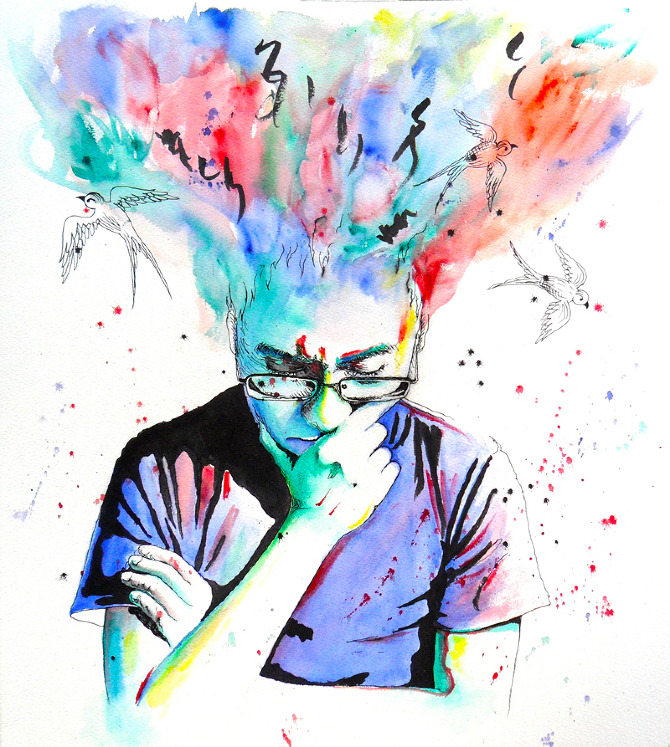
Brainstorming!
Where do ideas come from?
We will be talking about this today and trying it out.
If there is time at the end of class you can start to work on the guided reading assignment.
Tuesday, September 2, 2014
Computer Graphics
Big few weeks ahead to get us started for the semester:
Work with brainstorming/fonts/designing/composition / typography / icons / and some bells n whistles.
Motivation:
YOU are the one who will be getting these projects together... and you are the one that will make it happen.
I will definitely do all I can to assist but YOU are the ultimate do'er.
P.R.I.D.E
respectful. responsible. committed.
Outline for semester:

-Logos

-Program of Study (B & W)

-Exercises 1, 2, 3

-State Cross Country T-shirt

-Program of Studies for Web

-Agenda Planner Cover
-Web Design
-Free Project....
A brief History of Typography
Guided reading about Graphic Design will be worked on throughout the week and handed in by Friday.
-Pencil
-Notebook or Sketch
Friday, May 23, 2014
You have been practicing choosing and blending colors.
To begin your painting,take the Hartman Creek photo of your choice, and use these new painting skills to create painted layers of the picture on new layers.
I would advise everyone to paint an area until you are happy, and then create a new layer to start painting another area. The layers allow you to edit as you go without disrupting everything.
Review the last tutorial and pay attention to how he handles the layers of color.
When you are done, you will have a painted version of your photograph.
To begin your painting,take the Hartman Creek photo of your choice, and use these new painting skills to create painted layers of the picture on new layers.
I would advise everyone to paint an area until you are happy, and then create a new layer to start painting another area. The layers allow you to edit as you go without disrupting everything.
Review the last tutorial and pay attention to how he handles the layers of color.
When you are done, you will have a painted version of your photograph.
Thursday, May 22, 2014
Wednesday, May 21, 2014
Let's try it again!
Threshold...

What's Threshold?
It is the reduction of a photo to straight black and white. As the artist you can change
the balance of black to white in your composition. We will be manipulating the contrast
balance and adding color as we go.
It is the reduction of a photo to straight black and white. As the artist you can change
the balance of black to white in your composition. We will be manipulating the contrast
balance and adding color as we go.
Steps.
Preparing your image:
-Open your image in Photoshop>copy the entire image.
-Select Open New>be sure that transparent background is selected.
-Paste photo to the new document
1. copy bkgrd
2. image>adjustments>threshold-slide the contrast so there is a little white
3. magic wand- select white>select similar>delete
4. select inverse
5. begin color scheme: what are you looking for with color in the image?
6. paintbrush>color>ctrl D= deselect
7. repeat
-slide the new copied background to the top layer
-adjust the threshold with a little more white selected each time
-this type of paint is best with many color layers. Aim for 10 or more layers.
-Seniors can let this one go or try it again depending on your time frame :)
This is great intro to digital painting. Choose an image from your Hartman Creek shoot
for this piece. Choose a color scheme that creates the mood you would like to convey
with this piece. Cool colors are quiet and melancholy, while warm colors are excitingand cheerful.
Monday, May 19, 2014
Digital Painting
There is no practice for this tutorial. Between this video and friday's demo, you should ready to select an image from your Hartman Creek contact sheet and start your painting. Remember that you do not paint on the photo layer! Your photo must be removeable.
Check skyward. The gradebook is basically complete for the year. Are you missing anything?
Many people did not turn in their contact sheets for portraits or for Hartman Creek. Your assignments are worth only half credit without a graded contact sheet!
Lesson Five: Putting it all together
There is no practice for this tutorial. Between this video and friday's demo, you should ready to select an image from your Hartman Creek contact sheet and start your painting. Remember that you do not paint on the photo layer! Your photo must be removeable.
Check skyward. The gradebook is basically complete for the year. Are you missing anything?
Many people did not turn in their contact sheets for portraits or for Hartman Creek. Your assignments are worth only half credit without a graded contact sheet!
Lesson Five: Putting it all together
Thursday, May 15, 2014
Digital Painting
If you were struggling yesterday, keep working on it today, and then move on to todays. You can work on yesterday's assignment and today through tomorrow.
The Hartman Creek HDR is due tomorrow in the google drive turn in folder. There is no evaluation for the HDR.
Same process as the rest of the week.
Lesson Four:Layers
If you were struggling yesterday, keep working on it today, and then move on to todays. You can work on yesterday's assignment and today through tomorrow.
The Hartman Creek HDR is due tomorrow in the google drive turn in folder. There is no evaluation for the HDR.
Same process as the rest of the week.
Lesson Four:Layers
Wednesday, May 14, 2014
Digital Painting
1-watch the video together
2-read the tutorial information
3-copy the worksheet and open it in photoshop
4-practice color mixing using a stylus
5-return the stylus
Lesson Three: Mixing colors
1-watch the video together
2-read the tutorial information
3-copy the worksheet and open it in photoshop
4-practice color mixing using a stylus
5-return the stylus
Lesson Three: Mixing colors
Tuesday, May 13, 2014
Monday, May 12, 2014
On Friday several assignment were due. Very few people bothered to turn them in.
The threshold assignments are completely graded. Three students did an outstanding job, and created many layers of color. Others did a less than minimum job and received a failing grade on this assignment. It is not a difficult assignment, but it required many layers to truly complete the piece.
The Fine Art Trio also had very few people turn it in. This is strange, because so many people turned in the in progress version of the assignment. Some people did not turn in the correct format of the assignment. Please double check the blog and what you turned in.
Quite a few people are failing at this time.
Digital Painting Video tutorial
1-As a class, you will watch the video for this tutorial.
2-As you have time this hour, read the information that accompanies the video. It will help you setup a new document, and review information.
3-Complete the homework section listed at the bottom of the tutorial page. To do this, you will need to make sure your your drawing tablet is plugged in. Take a moment to plug your tablet into the back of the computer. Many of them are disconnected, because it is clumsy to have them plugged in front.
4-Get a stylus from Mrs. Duchac. Have fun practicing.
5-All styluses must be returned at the end of the hour each day, or you will not be able to use them.
Lesson one: Using stylus and tablets, palettes and brushes,
keyboard short cuts
HDR- there are great images in your Hartman Creek contact sheets that are ready for the HDR treatment. The HDR final images are due Friday unless Mrs Duchac sees you need more time. To find the original tutorial for HDR, type HDR into the search in the blog. It will select all the entries that include HDR in the blog entry. I am looking forward to seeing these. I will ask a few of you to print them for display around school.
The threshold assignments are completely graded. Three students did an outstanding job, and created many layers of color. Others did a less than minimum job and received a failing grade on this assignment. It is not a difficult assignment, but it required many layers to truly complete the piece.
The Fine Art Trio also had very few people turn it in. This is strange, because so many people turned in the in progress version of the assignment. Some people did not turn in the correct format of the assignment. Please double check the blog and what you turned in.
Quite a few people are failing at this time.
Digital Painting Video tutorial
1-As a class, you will watch the video for this tutorial.
2-As you have time this hour, read the information that accompanies the video. It will help you setup a new document, and review information.
3-Complete the homework section listed at the bottom of the tutorial page. To do this, you will need to make sure your your drawing tablet is plugged in. Take a moment to plug your tablet into the back of the computer. Many of them are disconnected, because it is clumsy to have them plugged in front.
4-Get a stylus from Mrs. Duchac. Have fun practicing.
5-All styluses must be returned at the end of the hour each day, or you will not be able to use them.
Lesson one: Using stylus and tablets, palettes and brushes,
keyboard short cuts
HDR- there are great images in your Hartman Creek contact sheets that are ready for the HDR treatment. The HDR final images are due Friday unless Mrs Duchac sees you need more time. To find the original tutorial for HDR, type HDR into the search in the blog. It will select all the entries that include HDR in the blog entry. I am looking forward to seeing these. I will ask a few of you to print them for display around school.
Thursday, May 8, 2014
Things due by Friday:
-Fine Art Trio with rubric save as 3 separate jpegs and 1 trio in Google Folder (that's 5 items in your turn in folder)
-Threshold Painting-no rubric save as a jpeg in Google Folder (one item)
-Dispersion Tutorial
Digital Painting tutorials will start on Monday
I am home bound with strict instructions to rest for 2 more weeks. I need everyone to work hard and contribute positively to class.
-Fine Art Trio with rubric save as 3 separate jpegs and 1 trio in Google Folder (that's 5 items in your turn in folder)
-Threshold Painting-no rubric save as a jpeg in Google Folder (one item)
-Dispersion Tutorial
Digital Painting tutorials will start on Monday
I am home bound with strict instructions to rest for 2 more weeks. I need everyone to work hard and contribute positively to class.
Tuesday, May 6, 2014
Threshold...
What's Threshold?
It is the reduction of a photo to straight black and white. As the artist you can change
the balance of black to white in your composition. We will be manipulating the contrast
balance and adding color as we go.
It is the reduction of a photo to straight black and white. As the artist you can change
the balance of black to white in your composition. We will be manipulating the contrast
balance and adding color as we go.
Steps.
1. copy bkgrd
2. image>adjustments>threshold-slide the contrast so there is a little white
3. magic wand- select white>select similar>delete
4. select inverse
5. begin color scheme: what are you looking for with color in the image?
6. paintbrush>color>ctrl D= deselect
7. repeat
This is great intro to digital painting. Choose an image from your Hartman Creek shoot
for this piece. Choose a color scheme that creates the mood you would like to convey
with this piece. Cool colors are quiet and melancholy, while warm colors are excitingand cheerful.
Fine Art Canvases...
this should definitely work in a series...
minimum of 3 canvases working as a series piece created of only textures/brushes
with the use of color/composition/variety/repetition... MAKE IT GREAT.
Rubric will be in the N-drive and we will follow the same kind of routine.
Rubric will be in the N-drive and we will follow the same kind of routine.
Monday, May 5, 2014
Monday
I looked at the progress on the Fine Art Trios and saw some nice pieces in the works! I will be selecting collections to be printed for the display cases up by AV throughout the week.
Only about half the class turned in their pieces. I will be awarding points to those people.
On Wednesday, I will be introducing the first of the nature painting techniques. I think you will enjoy it.
Keep up the great work! The trios will be due on Friday.
Only about half the class turned in their pieces. I will be awarding points to those people.
On Wednesday, I will be introducing the first of the nature painting techniques. I think you will enjoy it.
Keep up the great work! The trios will be due on Friday.
Friday, May 2, 2014
I am excited to see your progress on the Fine Art Trios. The Google turn-in folder is ready. Share jpegs so it is easy for me to see. I will share feedback. These will be due next Friday.
On Monday, I will have instructions about how to start one of the nature painting techniques. If there is a tutorial, I will post that as well.
I will be focusing on getting assignments graded for this class next. It is a slow go for me, so it will not be instantly. If you are missing assignments, get them turned in. Don't use the N Drive at the moment.
On Monday, I will have instructions about how to start one of the nature painting techniques. If there is a tutorial, I will post that as well.
I will be focusing on getting assignments graded for this class next. It is a slow go for me, so it will not be instantly. If you are missing assignments, get them turned in. Don't use the N Drive at the moment.
Monday, April 28, 2014
Memory Cards?
I hope so! Contact sheets from last week need to be printed, annotated and evaluated today!
Turn in again...
The turn in folders were accidentally deleted on Friday. I would really appreciate it, if you would turn in things in again.
Turn in again...
The turn in folders were accidentally deleted on Friday. I would really appreciate it, if you would turn in things in again.
Fine Art Canvases...
-this should definitely work in a series...
-They should follow a theme: trees, grunge, flowers, water, seasons, urban, ect.
-minimum of 3 canvases working as a series piece created of only textures/brushes
-They should follow a theme: trees, grunge, flowers, water, seasons, urban, ect.
-minimum of 3 canvases working as a series piece created of only textures/brushes
with the use of color/composition/variety/repetition... MAKE IT GREAT.
-Use either brusheezy.com or http://www.deviantart.com/resources/applications/psbrushes/
-Resolution 180
-Canvas size no larger than 14" x 22". Canvases can be landscape or portrait or both.-The canvases should share qualities that visually link them together. This should be the brushes
and textures, colors and theme.
-Progress images will be turn on Friday.
Rubric will be in the N-drive and we will follow the same kind of routine.
Subscribe to:
Posts (Atom)